Apple 4.2.6 App Generation Services Rejection? Fix It in 2 Checks
The short answer
How do I fix a 4.3 spam and 4.2.6 app generation services rejection?
Apple thinks your app came from a template or an app builder, and either the wrong account submitted it, it looks like everyone else's, or both. Fix it in two checks: the business that owns the content submits from its own developer account, then strip what the builder gave everyone and put one feature only you have on the first screen. Then reply in App Store Connect.
Key facts
- 4.2.6Apps made from a commercial template or app generation service are rejected unless the provider of the app's content submits them directly, and these services should not submit apps on behalf of their clients.Apple, App Review Guidelines, 16 October 2026
- 4.3 spamApple's spam rule says not to submit apps that are indistinguishable from what's already widely available, so shipping the same app for every client can trip it too.Apple, App Review Guidelines, 16 October 2026
- Unlimited team membersThe owner enrolls and adds the developer or agency as a user; an organization account can add unlimited team members.App Store Connect Help, Overview of accounts and roles, 2 November 2026
- Released apps onlyApple only transfers apps that have had a version released on the App Store, so an app that was never approved is set up again in the owner's account.App Store Connect Help, App transfer criteria, 2 November 2026
- Slower repeat reviewsApple says apps rejected again and again for the same guideline take longer to review, so resubmitting unchanged costs time.Apple, App Review Guidelines, 16 October 2026
Chapters
Transcript
Edited for readingOlive is a made-up bakery ordering app and the agency that built it is fictional; their story is an illustrative example. Every rule on this page comes from Apple's own guidelines and help pages, listed under Sources.
Rejected under 4.3 spam and 4.2.6 app generation services?Watch from 0:00
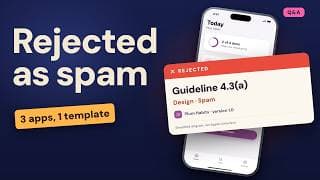
Rejected under 4.3, spam, and 4.2.6, app generation services? Here's the short answer. Apple thinks your app came from a template or an app builder. Either the wrong account submitted it, it looks like everyone else's, or both.
So the fix is two checks: who submits it, and what makes it yours. We'll walk one app through both, using Apple's own rules.
Olive is a made-up bakery ordering app. A small agency built it with an app builder, then submitted it from the agency's own developer account. It came back rejected under both guidelines.
What do 4.2.6 and 4.3 actually say?Watch from 0:36
Start with the exact words, because the two numbers ask different questions.
Guideline 4.2.6 covers apps made from a commercial template or an app generation service. Apple says those apps will be rejected, unless the provider of the app's content submits them directly. And it says these services should not submit apps on behalf of their clients.
4.3 is spam. Its second part says don't submit apps that are indistinguishable from what's already widely available.
So 4.2.6 asks who is submitting. 4.3 asks whether it's different. Shipping the same app for every client can also trip 4.3. Using a builder isn't the problem on its own. Apple names the ways through.
Our take: fix the first question before you argue about the second.
Check 1: whose developer account sent the build?Watch from 1:24
Check one. Whose developer account sent the build? For Olive, it was the agency's account. But the content belongs to the bakery. That's the situation 4.2.6 warns about.
Apple's intellectual property rule points the same way. Apps should be submitted by whoever owns, or has licensed, the rights.
So the bakery enrolls in the Apple Developer Program itself. Then it adds the agency as a user. Enrolling as a business needs a D-U-N-S number. Then it can add unlimited team members. The agency still does the work. The bakery's name is on the app.
One catch. Apple only transfers apps that have had a version released on the App Store. Olive was never approved. So it's set up again inside the bakery's account.
Our take: if you build apps for clients, make this step one of every project. Not the fix after a rejection.
But the right account isn't always enough. An app can still look like a copy.
Check 2: does it still look like the template?Watch from 2:20
Check two. Put your app next to the builder's demo apps. Apple expects builders to let clients make customized apps, with unique customer experiences.
So look for what the builder gave everyone. The same onboarding. The same tab bar. Sample photos. Placeholder text. Olive had all four.
Then ask what only this bakery can offer. For Olive, that's ordering tomorrow's bake before nine at night, and a stamp card tied to the shop.
Our rule: one feature the template didn't ship, on the first screen a reviewer sees.
Built it yourself with an AI app builder? The same test applies. Submitted it from your own developer account? Then check one is covered. Check two is what's left.
Our take: if a stranger can't tell your app from the builder's demo, neither can a reviewer. The full spam checklist is in Apple Rejected Your App for 4.3 Spam? The Fix.
Reply, rebuild or appeal?Watch from 3:17
Now the reply. You can answer App Review inside App Store Connect. You can attach screenshots and documents, until you resubmit. If the owner now submits from its own account, say so. Then list what changed.
If you think the reviewer got it wrong, you can appeal.
Resubmitting it unchanged risks the same rejection. Apple says apps rejected again and again for the same guideline take longer to review. Apple also warns that repeated low-effort submissions may lead to removal from the developer program.
Our take: change the account or the app first. Then write the reply.
The fix, in orderWatch from 3:53
Here's Olive's fix, in order. The bakery enrolled, and added the agency. Sample content out. Its own menu, photos and order times in. One feature only the bakery has, on the first screen. And a short reply that names both changes.
Olive's story is illustrative, and approval is always Apple's call. But that's the order. Account first. Then the app. Then the reply.
Sources
- Apple, App Review Guidelines (4.2.6, 4.3(a), 4.3(b), 5.2.1, Rejections, Appeals, Timing) (16 October 2026)
- App Store Connect Help, Overview of accounts and roles (2 November 2026)
- App Store Connect Help, App transfer criteria (2 November 2026)
- App Store Connect Help, Reply to App Review messages (2 November 2026)
- Apple Developer Help, D-U-N-S Number (2 November 2026)
Caveat: Approval is always Apple's call. Olive and the agency are fictional, and the screens in the video are simplified diagrams, not Apple's interface. Facts as of 2 November 2026; the App Review Guidelines were last updated 16 October 2026.