Why Your App Isn’t Getting Downloads (And How To Fix It)
The short answer
How to get more app downloads: the five checks that find the leak
If almost nobody downloads your app after launch, you usually have one broken step out of five: people can't find it, nobody sees it, they see it but skip it, they open the page but don't choose it, or nothing outside the store sends them. Check findability first, then read Apple's conversion rate against your peer group to see which step leaks.
Key facts
- Almost 65%Of App Store downloads happen directly after a search (Apple, worldwide, 2022 data).Apple Ads, App Store
- About 3% to 11%Typical tap rate from US App Store search, page views divided by impressions, across category medians in August 2026 (vendor data).AppFollow, ASO benchmarks, 13 September 2026
- 5 downloadsApp Store Connect shows no store metrics until an app has five first-time downloads.App Store Connect Analytics Help, Metrics definitions
- Up to 24 hoursHow long an approved app can take to go live on the App Store.App Store Connect Help, Overview of publishing your app
Chapters
Transcript
Edited for readingTeal is a fictional AI photo editor and its numbers are illustrative. Every benchmark and rule comes from a real source, listed under Sources.
How to get more app downloads?Watch from 0:00
You launched your app. Thirty days later, App Store Connect shows 1,900 impressions. And 11 downloads.
Here's the short answer. You probably don't have a downloads problem. You have one broken step, out of five. And one number, Apple's conversion rate, points you to which step it is. There's a trap in how Apple names that number. We'll get to it.
So here are the five checks, in the order that saves you the most time.
Our patient is Teal, the AI photo editor from our video Why Your App Pricing Isn't Working (And How To Fix It). Teal is made up. Its numbers are illustrative. Every rule and benchmark is real, and sourced below.
Can anyone find your app?Watch from 0:38
Check one. Can anyone find your app at all? It sounds silly. But it's the cheapest check, so it goes first.
Search your app's exact name on a phone, signed in to a store in your main country. Your app is searchable by its name and your company name. If even that search misses you, the problem is upstream.
First, timing. After approval, Apple says it can take up to 24 hours to go live. And if you picked manual release, the clock starts when you press release. Not at approval.
Second, countries. Your app only appears where you made it available, in Pricing and Availability.
Third, the empty dashboard. App Store Connect shows no store metrics until you have five first-time downloads. So a blank chart in week one isn't zero. It's a privacy threshold.
Under five downloads? Skip the dashboard for now. Do the search test in check two, judge your results card by eye, and go to check five.
Teal passes. Search Teal, and there it is.
Checkpoint: if your own name finds you, move on. Being findable isn't the same as being seen.
Is anyone seeing your app?Watch from 1:49
Check two. Is anyone actually seeing it? That's what impressions measure. An impression is your app on screen in the store for more than a second: in search, on Today, in the Games or Apps tabs. And it includes page views.
Where do your impressions come from? Look at Source Type in the Acquisition section.
For many apps, it's search. Back in 2022, Apple said almost 65% of App Store downloads happened right after a search.
Teal's split: 1,710 impressions from search, 190 from browsing.
And search is decided by two things, Apple says. Your words, and what people do: downloads, ratings and reviews. So low impressions usually mean your words don't match what people type. Or nobody types it.
Here's a quick test. Write down three phrases a stranger would type to find an app like yours. Search each one. If you're not on the first screen for any of them, impressions will stay small, whatever your page looks like.
Our take: for a new app, 1,900 impressions in a month isn't a disaster. It's a start you can work with.
Teal passes this one, just. People are seeing it. But here's the question that matters more.
Seen in search, but skipped?Watch from 3:00
Check three. People see you. Do they tap?
Filter Source Type to App Store Search. Then divide product page views by impressions, the unique devices version. That's your tap rate from the results.
From search, Teal had 34 page views, out of 1,710 impressions. What do similar apps get? Have a guess.
AppFollow measured US App Store search in August 2026. By category, the typical tap rate ran from about 3% to 11%. Teal's is 2%. Below even the lowest category median. This is the leak.
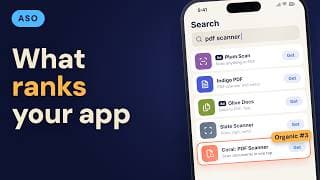
Why? Because in search results, people only see a few things. Your name, your subtitle, your rating, and, unless you have a preview video, your first one to three screenshots. If you do have a preview video, it takes that spot. So its first seconds are your pitch.
That card is your whole pitch. Most people never see anything else.
Teal's subtitle said edit smarter. Its first screenshot was a welcome screen with the logo. Nothing on that card says what Teal does, or shows a photo it fixed.
The fix is to say the job in the subtitle, and show the result first. Same app. Same prices. Only that card changed.
Our take: fix this card before you touch keywords. Better words can bring more impressions, and a weak card wastes every one.
Checkpoint: after the release with the new card, give it two full weeks. Then compare tap rate with the two weeks before. One release, one change. If you swap the icon and the screenshots together, you won't know which one worked.
Opened, but not chosen?Watch from 4:37
Check four. People open your page. Do they download?
Teal's 38 page views turned into 9 downloads. Two more came straight from the results, without opening the page. That's why downloads can beat page views on a great results card.
So is 9 out of 38 good? Vendor numbers for this step disagree, because they divide by different things. Use your own peer group instead. App Store Connect has a Benchmarks section. It compares your conversion rate with apps like yours, at the 25th, 50th and 75th percentile.
If you sit below the 25th, split it. Tap rate tells you about the card. Page views to downloads tell you about the page: the screenshots after the first three, the price, your ratings.
Ratings matter twice. They're on the page, and Apple says they feed search ranking too. A brand new app has no ratings yet. That's normal, and it's one reason the results card has to work harder.
And remember the price is on the page. Teal shows a free download with in-app purchases, so it isn't scaring people off here.
Teal's page isn't the problem. The people who open it mostly like what they see.
Is anything sending people to you?Watch from 5:45
Check five. Is anything sending people to you? The store mostly answers people who are already looking. A new app with no outside traffic waits for search.
Look at Source Type again. App referrer and web referrer are people who tapped a link to you. One in an app, one on a website.
Teal's? Zero and zero. Nobody arrived from a link. Not one. That's not a store problem. It means nothing outside the store links to it yet.
Our take: a launch needs a push from somewhere you control. A community, a list, a post. The store is where that push lands.
Which leak is yours?Watch from 6:21
Now let's put the five checks together, because Teal only made sense once we read them in order. So which leak is yours? Here's the shortcut.
Do check one first. Then go straight to one number: Apple's conversion rate. And here's the trap: it doesn't mean what most founders think. It's downloads divided by the devices that saw you, not the people who opened your page.
Teal's is 11 over 1,900. About 0.6%.
Compare it with your peer group in Benchmarks. If you're near the middle, your problem is impressions: your words, or no outside push. If you're far below it, split it in two. Tap rate shows the results card. Page views to downloads show the page.
Picture a second app. From search, 4,000 impressions and 200 downloads. That's 5%, inside the range AppFollow saw across categories, about 3% to 12%. Its overall rate looks healthy, so it starts with impressions. Its work is words and outside traffic.
Teal splits clearly. Its card is broken, and nobody sends it traffic. Its page is fine.
On Google Play, the closest number lives in Store performance. Since July 2026, it's click-through rate. That counts taps on Install, not installs.
And if every check passes, and downloads are still tiny? Then it's the market or the product. That's a harder question, and an honest one.
If your leak turned out to be search itself, the next question is simple: how does App Store search decide who shows up? That's in our video App Store Optimization 2026: How Search Ranking Works.
Sources
- App Store Connect Analytics Help, Metrics definitions
- App Store Connect Analytics Help, Acquisition
- App Store Connect Analytics Help, Peer group benchmarks
- App Store Connect Help, Overview of publishing your app
- App Store Connect Help, Manage availability
- Apple Developer, App Store search
- Apple Developer, Creating your product page
- Apple Ads, App Store (almost 65% of downloads happen directly after a search; 2022 data)
- AppFollow, ASO benchmarks (US App Store search, category medians, August 2026; vendor data) (13 September 2026)
- Google Play Console Help, Store listing performance
Caveat: Vendor benchmarks are ranges of category medians, not a target for one app. Apple's conversion rate divides downloads by unique device impressions, not by page views. This video can't tell you whether your market wants the app.