App Store Optimization: 6 Myths vs What Apple Confirmed
The short answer
App Store optimization myths: which ASO tips Apple actually confirms
Of six popular App Store optimization tips, three are myths, one is half true and two are unproven. Apple matches your words against your title, subtitle, keywords and primary category, tells you not to repeat words, and doesn't allow other apps' names. Extra localizations count only in languages a storefront supports. Nobody has shown that Apple Ads lift organic rank or that screenshot text ranks you.
Key facts
- 4 fieldsApple's search page matches your words against your title, subtitle, keywords and primary category. The description isn't on the list.Apple, App Store search
- 100 bytesThe size of the keyword field, so a word repeated from your name or subtitle only wastes space.App Store Connect Help, Platform version information
- English + 9The languages Apple lists for the American store. The British store supports just one.App Store Connect Help, App Store localizations
- 36 of 64Phrases from top American apps' screenshots that didn't rank, in the one published check of screenshot text.ConsultMyApp, Screenshot titles check (undated page, 64 phrases, 8 US apps)
Chapters
- 0:00Is App Store optimization advice still true?
- 0:44Do description keywords help you rank on iOS?
- 1:34Should you repeat your keyword in every field?
- 2:54Can you put competitor names in your keywords?
- 4:20Should every localization get English keywords?
- 5:42Do Apple Ads boost your organic rank?
- 6:56Does Apple read the text in your screenshots?
Transcript
Edited for readingCoral is a fictional document scanner app; its listing is an illustrative example. Every other claim comes from a real source, listed under Sources.
Is App Store optimization advice still true?Watch from 0:00
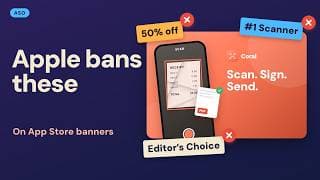
This listing follows six popular App Store optimization tips. Keywords stuffed into the description. Your main word repeated in every field. English keywords in every language.
One viewer asked under a popular App Store optimization video: is this still valid in 2026? Another says ChatGPT calls one of these tips irrelevant. So who's right?
Checked against Apple's own pages as of October 18, each of these six myths gets a verdict. What Apple says, what practitioners report, and what nobody has shown. If you're doing your own App Store listing, each one ends with what to do instead.
The last one is stated as fact by vendors. We found only one published check of it.
Do description keywords help you rank on iOS?Watch from 0:44
Do keywords in your description help you rank on iOS? Guess before the verdict.
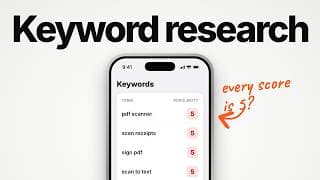
Apple's search page lists what it matches your words against: your title, subtitle, keywords and primary category. That list doesn't name the description. Apple's product page guide goes further: don't add unnecessary keywords there.
Verdict: myth. Apple says don't add keywords there.
Coral, a made-up scanner app, could repeat PDF scanner 10 times in its description. None of the four fields Apple names would change.
Our rule: write the description for people. Only its first sentence shows before "more", so that sentence has to sell.
On Google Play, it's widely reported the description does count. So a cross-platform app keeps two versions.
Should you repeat your keyword in every field?Watch from 1:34
So if the description isn't on Apple's list, should you repeat your keyword in every field that is? The idea comes from websites. Say your keyword in the title, the subtitle and the keyword field, so Apple knows it matters. Guess first: does the repeat help, or does it hurt?
Apple's search page is clear on this. Don't repeat words already in your app name, subtitle or category, so more words fit. It even counts plurals as repeats. Apple's own example is climb and climbs.
Verdict: myth. Apple says don't repeat, and it counts plurals as duplicates.
So what does a repeat cost? The keyword field holds 100 bytes. A repeat spends some on a word you already have. Coral's subtitle already says scan documents and receipts. Typing scan into its keyword field again only wastes bytes.
Our rule: each word once, across all three fields. Spend the bytes you save on new words.
One nuance, from a vendor study by AppTweak. Only about 4 of the top 10 iOS apps ranked for both the singular and the plural. So if the plural is what people type, put that form in your name or subtitle. Then track how both rank.
Can you put competitor names in your keywords?Watch from 2:54
But what about words nobody can see? Can you put competitor app names in your hidden keyword field?
People say it like this: add the big apps' names to the keyword field. Nobody will ever see it. Some agencies admit doing it. One calls it technically against Apple's guidelines, and says most submissions passed anyway. So is it a smart risk? Make your guess.
App Store Connect's help page for the keywords field is blunt: names of other apps or companies aren't allowed. Apple's search page lists competing app names under what not to include. Its product page guide calls improper keywords a common reason for rejections. Apple's review rules go further: it may even change inappropriate keywords.
And the ranking payoff, if one slips through? Nobody has published how much it helps.
Verdict: myth. It isn't a safe trick. It's against Apple's rules, and a stated rejection reason.
Our rule: no other app's or company's name in any field. Target the category words people actually type.
If competitor searches matter, that's a bidding decision in Apple Search Ads, which Apple now calls Apple Ads. There, Apple says it doesn't investigate claims about branded keywords. That's a policy note, not permission.
Three down, three myths. The last one splits the tool vendors: one states it as fact, another withdrew its claim.
Should every localization get English keywords?Watch from 4:20
So the keyword field is small. Can English keywords in every localization buy you more room? Remember that ChatGPT comment? Here's the question it answered. Should you flood your Arabic localization with English keywords? Guess: does it work everywhere, nowhere, or somewhere in between?
Here's the part that's real. Apple says people can search with your localized keywords wherever the App Store supports that language. And Apple publishes a table of the languages each storefront supports.
The American store supports English plus nine more. By Apple's rule, keywords in those languages should be searchable there. The British store supports just one. Pakistan's adds Urdu, and the Emirates adds Arabic. So by the same rule, an Arabic slot should be searchable in the Emirates.
Our take: phones set to Arabic may show that slot's name and subtitle.
Verdict: half true. Extra locales can count, but only the languages that storefront supports.
Coral's listing is American English only. In the American store, it could add Spanish for Mexico, with real Spanish search terms.
Our rule: real search terms in that language first, with a name and subtitle that read well. And no word twice in one storefront.
To add one, open App Store Connect, pick your app, then the language menu at the top right.
Do Apple Ads boost your organic rank?Watch from 5:42
Every fix so far costs nothing. But does paying for Apple Ads lift your free rankings? The belief goes like this: switch ads on for a week, and your organic rank climbs. A commenter asked it plainly: for a new app, does it impact ASO somehow? What's your guess?
Start with what Apple confirms. Downloads are one of the behavior signals in App Store search. But Apple doesn't say whether paid downloads count. We found no mention of organic rank in its Apple Ads help pages.
So who does know? Not even the companies that sell ads tools. MobileAction's help center says no tool can prove ads caused an organic rank change.
The closest study is a university preprint on one large game publisher. When its ads switched off, organic installs fell. But that's installs, for one publisher. It isn't Apple Ads, and it isn't keyword rank.
Verdict: unproven. Nobody has shown Apple Ads moves your keyword rank.
Our rule: judge Apple Ads on its own paid return. And never bid on a word just to rank for it.
Already running ads? Compare keywords you bid on with similar ones you don't. Run it at least 4 weeks, with no metadata release.
Does Apple read the text in your screenshots?Watch from 6:56
Which leaves the biggest one. Does Apple read the text in your screenshots, and rank you for it?
In 2025, an App Store tool's blog said Apple had started extracting text from screenshot captions. By this year, a big vendor's page states it as fact. Its heading reads: screenshot captions now impact mobile rankings. Before the verdict: if a vendor states it as fact, what would you guess?
Here's what Apple confirms. Its list of what it matches doesn't name screenshots. Apple's newest rules for the new search images, added this month, are about honesty, not keywords. Our video, The App Store Just Changed How Apps Look in Search, covers them.
In June 2025, TechCrunch reported what Apple said at its developer conference. Apple uses AI to pull information, including from screenshots, for App Store tags. Apple's own tags page says tags show in search results and on product pages. For now, that's only in the United States.
So has anyone checked ranking directly? One agency did. ConsultMyApp took 64 phrases from the screenshots of top American apps. 36 didn't rank. Most of the rest ranked, but their words were already in the title, subtitle or keywords. That left one phrase unexplained. Their conclusion: no strong evidence Apple is broadly indexing screenshot titles.
We found no second published check. And one tool blog has withdrawn its earlier claim.
Verdict: unproven. Vendors state it as fact, and the one published check found no broad effect.
So for search, the text you write that Apple names is still three fields: your name, subtitle and keyword field.
Our rule: write captions for the person deciding. Apple's own advice is a short phrase that adds to the picture. Use a name or subtitle word where it reads naturally. Never count on a caption to rank you for anything else.
So is any of this advice still true? Three are myths, one is half true, and nobody has shown the other two. If you work on an App Store listing, that's what this channel checks: what Apple confirmed, and what's folklore.
Sources
- Apple, App Store search
- Apple, Creating your product page
- Apple, Discoverability
- App Store Connect Help, Platform version information
- App Review Guidelines 2.3.7, 2.3.14 (16 October 2026)
- App Store Connect Help, Localize app information
- App Store Connect Help, App Store localizations
- App Store Connect Help, Manage app tags
- Apple, Asset best practices
- Apple Ads Help, Search results ad placement
- Apple Legal, App Store content disputes
- TechCrunch, App Store AI-generated tags (14 June 2025)
- Appfigures, Algorithm update guide (12 June 2025)
- SplitMetrics, Ranking factors (14 September 2026)
- Appdrift, Screenshot text (claim withdrawn) (29 September 2026)
- ConsultMyApp, Screenshot titles check (undated page, 64 phrases, 8 US apps)
- AppTweak, Singular or plural (2021 study, 600 keywords, US, FR, ES)
- AppTweak, Cross-localization (21 November 2025)
- Gummicube, Competitor brands (22 August 2024)
- MobileAction Help Center, Apple Ads and organic rank
- Ju, Zhao, Aral, Advertising Spillovers (preprint, v2) (July 2026)
Caveat: Apple's ranking list says "including", so a field it doesn't name isn't one Apple says it excludes. The screenshot check is one agency's observational check, not a controlled test. Vendor claims are the vendors', not Apple's. The ad shutoff study is a preprint on one game publisher, not Apple Ads or keyword rank.