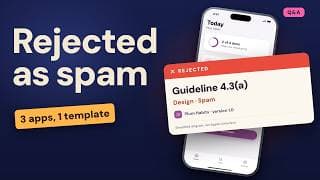
Guideline 4.2 Rejection: Your App Looks Like a Website? Fix It
The short answer
How do I fix an App Store Guideline 4.2 minimum functionality rejection?
A Guideline 4.2 rejection means the reviewer saw a repackaged website, not an app: Apple's App Review Guidelines ask for features, content and UI that go beyond one. Fix it in four steps: find which part of 4.2 you hit, compare the app with your website in Safari, rebuild the main task with native screens, then point the reviewer to it in your App Review notes. Apple allows one appeal per rejected app.
Key facts
- Beyond a repackaged websiteGuideline 4.2 says an app should include features, content and UI that elevate it beyond a repackaged website.Apple, App Review Guidelines 4.2 Minimum Functionality, 16 October 2026
- Websites in an appApple's App Review page says websites served in an iOS app, and limited web interactions, don't make a quality app.Apple Developer, App Review, avoiding common issues, 14 November 2026
- Not different from browsingDevelopers report the rejection line "not sufficiently different from a mobile browsing experience" on Apple's forums (developer reports, not an Apple page).Apple Developer Forums, rejection wording as reported by developers
- 3 to 5 business daysAfter App Review replies, you can ask for a call in the same message window; Apple says calls are typically done within three to five business days.Apple Developer Help, Contact App Review, 14 November 2026
- One appeal per appApple says to reply to the rejection first, allows one appeal per rejected app, and says not to appeal if you rebuilt and resubmitted.Apple Developer Help, Appeal to the App Review Board, 14 November 2026
Chapters
Transcript
Edited for readingBasil is a fictional recipe app (a website in an app frame) made for this video; its fix is our illustration, and approval is always Apple's call.
Rejected under 4.2? The short answerWatch from 0:00
Guideline 4.2. Your app provides a limited user experience. It's not sufficiently different from a mobile browsing experience.
Developers report it when their app is basically their website. The fix isn't a clever appeal. It's four steps.
Find which part of 4.2 you hit. Do the Safari test. Rebuild your main task as a real app. Then show the reviewer where it is.
We'll run all four on Basil, a made-up recipe app that's really just its website.
Which part of 4.2 did you hit?Watch from 0:30
Step one. Read the number in the message, because 4.2 has parts.
Plain 4.2 means not useful, unique or app-like enough. Apple's words: features, content and UI that elevate it beyond a repackaged website.
4.2.2 says apps shouldn't primarily be marketing, web clippings, aggregators, or a collection of links. 4.2.3 says your app must work on its own, without installing another app.
And 4.2.6 covers templates and app builders. We cover that one in its own video: Apple 4.2.6 App Generation Services Rejection? Fix It in 2 Checks.
Basil got plain 4.2, with the browsing line. Checkpoint: you can name the exact sentence you failed.
Does your app pass the Safari test?Watch from 1:13
Step two is the Safari test. Open your website in Safari, and your app right beside it. Go screen by screen. Anything that looks and works the same is what the reviewer saw.
Apple's App Review page is blunt. Websites served in an iOS app, and limited web interactions, don't make a quality app.
Basil failed on every screen. Same menu, same recipe pages, same search box, all loaded from the web. Its only extra was a share button.
Rejections developers have posted say notifications, location and sharing aren't robust enough.
Our take: if your list of differences fits on one line, you're not done.
Checkpoint: a written list of every screen that matches your website.
What should your app do that a browser can't?Watch from 2:05
Step three. Rebuild the one task people come for, so it works like an app.
Apple asks apps to make the most of the features unique to iOS. For Basil, the task is cooking from a recipe. So that's what changes.
Saved recipes open with no signal. A cook mode shows one step at a time and keeps the screen awake. Timers send a notification, even when you leave the app. And a recipe's ingredients drop into a shopping list.
The notification alone wouldn't pass. It's part of a cook flow the website can't do. None of that is a website in a frame. And it's the main job, not a bolt-on.
Our take: your web pages can stay for the extras, like account settings or help.
Our test: turn on airplane mode and open the app. Even an online-only app should show a native offline screen, not a browser error.
And polish counts. Apple says it places a high value on clean, refined, user-friendly interfaces.
Checkpoint: your main task runs on native screens, not loaded pages.
Will the reviewer actually find it?Watch from 3:11
Step four. Make sure the reviewer actually finds what you built. Put it on the first screen, not three taps deep.
In App Store Connect, use the App Review Information notes to say where it is. If it needs a sign-in, add a working demo account.
Update your screenshots too. Apple says they should accurately communicate value and functionality.
When you resubmit, list what changed in your review notes.
If you think the reviewer misread your app, Apple invites you to explain in Reply to App Review. After they answer, you can ask for a call in that same message window. Apple says calls are typically done within three to five business days.
Appeal only if the app already met the guideline. Apple says reply first, then show how it meets each requirement. If you rebuilt and resubmitted, don't appeal. Apple allows one appeal per rejected app.
Checkpoint: your review notes name the feature and the screen it's on.
The whole fix, on one cardWatch from 4:08
Here's Basil's fix, in order. Find the sentence. Do the Safari test. Rebuild the main task. Then point the reviewer to it.
This is our illustration, and approval is always Apple's call. But every step moves your app further from a website with an icon.
Sources
- Apple, App Review Guidelines 4.2 Minimum Functionality (16 October 2026)
- Apple Developer, App Review, avoiding common issues (14 November 2026)
- Apple Developer Help, Contact App Review (14 November 2026)
- Apple Developer Help, Appeal to the App Review Board (14 November 2026)
- Apple Developer Forums, 4.2 rejection wording (a developer's report)
- Apple Developer Forums, 4.2 rejection wording (another developer's report)
Caveat: Basil's fix is our illustration, and approval is always Apple's call. The rejection wording and the line about notifications, location and sharing come from developers' reports on Apple's forums, not from Apple's pages. The panels in the video are simplified diagrams, not Apple's interface. Facts as of 14 November 2026; the App Review Guidelines were last updated 16 October 2026.