iOS ASO: Why Your App Doesn't Rank for Its Own Keywords
The short answer
App Store keyword field: how to stop wasting its 100 bytes
The keyword field in App Store Connect holds 100 bytes, not 100 letters, and first drafts often waste a big part of it. Delete spaces after commas, words already in your name, subtitle, developer name or categories (plurals count), broad and filler words, and two-letter terms. Count bytes in Urdu or Hindi, fill every language version the storefront reads, and put your key phrase in the name and subtitle.
Key facts
- 100 bytesSize of the hidden keyword field, with commas between keywords and each keyword more than two characters. Your app name and company name are already searchable.App Store Connect Help, Platform version information
- 2 and 3 bytesWhat one Urdu letter and one Hindi character take in UTF-8, so 100 bytes holds about 50 Urdu letters and even fewer Hindi ones.UTF-8 byte lengths: RFC 3629
- English plus 9Languages Apple lists for the US store, each language version with its own name, subtitle and keyword field.App Store Connect Help, App Store localizations
- About 1 in 4Top free US apps that repeat a word between title and subtitle, in Admiral Media's study of 1,000 apps.Admiral Media, State of App Store Listings 2026 (1,000 top free US apps), 29 September 2026
Chapters
- 0:00iOS ASO: a keyword field wasting 41 of 100 bytes
- 0:31Is your Keywords field leaking bytes on spaces and repeats?
- 1:20Why pay for names Apple already reads? (developer name, categories)
- 1:57Do filler and two-letter words ever earn their bytes?
- 2:56Why does your Urdu or Hindi field hold fewer words? (bytes, not letters)
- 3:56Are your other language versions sitting empty? (App Store localizations)
- 4:58What should your app name and subtitle say?
- 6:07The pre-release keyword check
Transcript
Edited for readingCoral is a fictional document scanner app; its keyword fields and byte counts are an illustrative example, not a real listing. Every other fact comes from a real source, listed under Sources.
iOS ASO: a keyword field wasting 41 of 100 bytesWatch from 0:00
This App Store keyword field wastes 41 of its 100 bytes. That's Coral, a made-up scanner, and its first keyword field, the way many first drafts look. Five mistakes did it, and Apple's own help names every one.
In Admiral Media's 1,000 top free US apps, about a quarter repeat a word between title and subtitle.
If you filled your keyword field once at launch and never looked again, here are all seven: spaces, repeats, names Apple already reads, filler, two-letter words, bytes, and empty languages.
Is your Keywords field leaking bytes on spaces and repeats?Watch from 0:31
The field is the Keywords box on your app's version page in App Store Connect.
Start with the cheapest leak: the space after each comma. Apple's rule is commas between keywords, with no spaces after them. Our draft has 11 of those spaces. That's 11 bytes that index nothing. Spaces inside a phrase are fine, like "real estate". Only the ones after commas go.
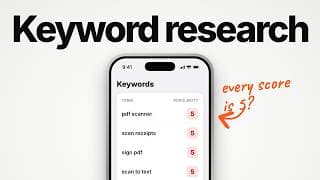
Next, repeats. Apple says don't repeat words already in your name, subtitle or category. Our draft has "receipt", and the subtitle already says "receipts". Apple treats plurals as duplicates, so that's 8 more bytes. We covered why in App Store Keyword Research 2026: The Scores Broke. Do This.
Our take: delete every space and every repeat first. It's the fastest win in the whole field.
Why pay for names Apple already reads? (developer name, categories)Watch from 1:20
But some words you never typed are already searchable. Apple's own help says your app is searchable by its name and your company name. So your developer name is already working. Coral's developer is Coral Labs, and our draft spent 5 bytes on "labs".
Categories work the same way. Apple says your primary and secondary categories are indexed. Utilities is Coral's primary category. Typing it again cost 10 bytes. That's 15 bytes on names Apple reads anyway.
And other apps' or companies' names aren't allowed in the field at all.
Our take: check your developer name and both categories before you write a single keyword.
Do filler and two-letter words ever earn their bytes?Watch from 1:57
Then hunt for the small words that feel harmless. Apple names "app" and "game" as terms too broad to help. It calls words like "the" and "to" filler, because they add no value. Hashtags and @ signs too: Apple says special characters don't carry extra weight.
Appfigures goes further, with a stop-word list it says Apple ignores. That full list is their claim. Our draft spent 4 bytes on "app".
Now the two-letter word. Apple's help says each keyword should be more than two characters. Our draft has "ai". Whether that word counts in this field, nobody has published a test.
Our rule: if a two-letter term matters, put it in the name or subtitle. That's 3 more bytes back.
Add it up: spaces, a repeat, two names, a broad word, and "ai". 41 bytes back. That's room for eight new words, like "card" and "photo".
Those were easy to spot. The next mistake never shows up in English.
Why does your Urdu or Hindi field hold fewer words? (bytes, not letters)Watch from 2:56
Apple's spec says 100 bytes. Not 100 letters. In English, that's the same thing: one letter, one byte.
Here's "receipt" in Urdu. Four letters. How many bytes would you guess? Eight. Every Urdu letter costs two bytes. Now the same word in Hindi. Three letters on screen. Twelve bytes.
So 100 bytes holds about 50 Urdu letters, and even fewer Hindi letters. At least one ASO tool, MobileAction, calls it a 100-character field, so a Hindi field can look fine there. Apple says bytes but doesn't name the encoding, so how it counts each script is unproven.
Take three Coral keywords: document, scanner and receipt. 24 bytes in English. 36 in Urdu. 59 in Hindi.
Our rule: draft in a byte counter, paste it in, and see if it's accepted. Then use short native search terms, and don't repeat the English words inside them.
Are your other language versions sitting empty? (App Store localizations)Watch from 3:56
Which raises a bigger question: how many of these fields does your app even have?
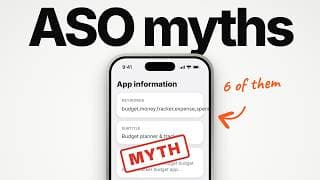
In the US store, Apple lists English plus nine more languages. We showed that table in App Store Optimization: 6 Myths vs What Apple Confirmed. Pakistan pairs UK English with Urdu. India adds eleven Indian languages, most in three-byte scripts. And Apple says people can search your localised keywords wherever that language is supported.
Coral fills one of those ten. Nine are empty. That's 900 bytes of keyword space sitting unused.
Name and subtitle live under App Information. Keywords live on the version page. Each has a language menu, top right.
So how do you fill them? With real search words in that language, never copies of your English field. AppTweak advises one more thing: keep each phrase's words inside one language version. Their reasoning is that words seem to combine inside one version, not across two.
Our rule: write each version honestly, as if a native speaker will read it. Fields full and clean.
What should your app name and subtitle say?Watch from 4:58
The last piece is what shoppers actually see. Your name gets 30 characters. The subtitle gets 30 more, right under it. Apple says the subtitle should explain your app's value in a concise phrase. So it does two jobs: a search phrase, and a reason to tap.
Even so, Admiral Media found one in ten top free apps leaves the subtitle blank.
No stuffing, though. Guideline 2.3.7 says don't pack metadata with irrelevant phrases to game the system. SplitMetrics argues the name carries the most ranking weight. Apple has never published any weights.
Here's Coral after the audit. The name becomes "Coral: PDF & Document Scanner". That's 29 of 30. The subtitle becomes "Receipt Scan, OCR Text & Sign". Also 29.
The 41 bytes we freed went to eight new words: doc, camera, tax, card, form, crop, photo and bill. Now Coral can build "business card scanner", "photo to pdf" and "bill scanner".
Our rule: your key phrase goes in the name and subtitle. The field gets only new words. And the field lands at exactly 100 bytes, and every one of them can work.
The pre-release keyword checkWatch from 6:07
Before your next release, run this check.
No spaces after commas. No words already in your name, subtitle, developer name or categories (plurals count). No broad or filler words (app, the) and no special characters. Two-letter terms go in the name or subtitle. Count bytes, not letters, in every language. Fill every language version the storefront reads, with real search words in that language. Keywords ship with a new app version.
Wasted bytes can't rank for anything. Clean bytes finally give your own keywords a chance.
Sources
- App Store Connect Help, Platform version information (keywords, 100 bytes, each keyword greater than two characters, searchable by app name and company name, names of other apps or companies not allowed)
- App Store Connect Help, App information (app name and subtitle, 30 characters)
- Apple Developer, App Store search (commas and no spaces, don't repeat words, plurals, generic and filler words, categories indexed)
- Apple Developer, Creating your product page (subtitle, special characters)
- App Store Connect Help, App Store localizations (which languages each storefront indexes)
- App Store Connect Help, Localize app information
- App Review Guidelines 2.3.7
- UTF-8 byte lengths: RFC 3629
- Admiral Media, State of App Store Listings 2026 (1,000 top free US apps, data 29 Sep 2026) (29 September 2026)
- AppTweak, How to benefit from cross-localization on the App Store (advice)
- Appfigures, keyword list tips (stop words, their list)
- SplitMetrics, App Store ranking factors
- MobileAction Help Center, character count across language sets