Google App Campaign Not Getting Installs? Check These First
The short answer
Why is my Google App campaign not getting installs?
Usually the campaign is starved. Its daily budget is too small for its target, or it bids on an in-app action too rare to learn from. Google recommends a daily budget of at least 50 times your target for installs, and an action at least 10 different people complete each day in the campaign. Check the status first, then budget divided by target.
Key facts
- 50xGoogle's recommended minimum daily budget for an install campaign, as a multiple of the target cost per install.Google Ads Help, Best practices for App campaigns
- 10 people a dayPick an in-app action that at least 10 different people complete every day inside the campaign.Google Ads Help, Best practices guide, setting up App campaigns
- 100 conversionsChanges before the first 100 conversions may disrupt the campaign's learning.Google Ads Help, Best practices for App campaigns
- 1.5xGoogle recommends iOS bids about one and a half times your Android bids.Google Ads Help, Choose a bid strategy for your App campaign
- $2 target, $100 a dayGoogle's own example of a target cost per install and the daily budget that goes with it.Google Ads Help, About bidding in App campaigns
Chapters
Transcript
Edited for readingSage is a fictional plant care app and its numbers are illustrative. Every rule on this page comes from Google's own help pages, listed under Sources.
Google App campaign not getting installs?Watch from 0:00
Google App campaign. Nine days of spend, and 31 installs. That's Sage, a made-up plant care app, on its first App campaign. If your campaign spends but the installs don't come, this is for you.
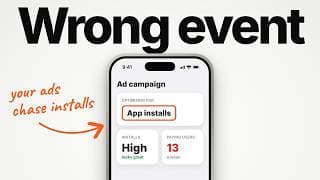
Here's the short answer. Usually, the campaign is starved. Its budget is too small for its target. Or it's chasing an event too rare to learn from.
Google puts a number on the first one. For installs, a budget of at least 50 times your target.
We'll check six things in about six minutes, cheapest first, and fix Sage as we go.
Is it serving at all?Watch from 0:36
First, open the campaign and read the Status column. Eligible means it's showing. Paused, pending or not eligible means nothing is.
Sage's says Eligible, limited. That means it's active, but showing ads only occasionally. Hover over it, and the reason appears. For Sage, it's limited by budget.
Two quick checks while you're there. Your app must be live in every country you target. And Policy manager lists any ad or asset that was disapproved. New ads usually take a day or two to review.
One more. If your install event is set as secondary, bidding ignores it. And if its tracking status says awaiting conversions, nothing has arrived for a week. Our video Why Your Mobile App Tracking Is Wrong (And How To Fix It) walks through that setup.
Limited by budget sounds easy. Add money. But is the budget really the problem?
Does the budget fit the target?Watch from 1:28
Every App campaign has a target. It's the price you tell Google you want to pay. Sage bids on trial starts, with a small daily budget. Google's guidance ties those two together.
For installs, Google recommends a daily budget of at least 50 times the target. For in-app actions, like a trial start, the multiple is lower. Sage's budget covers half that minimum.
Go too far the other way, and Google warns your ads may get no impressions. And on maximize conversions, a tiny budget has its own trap. The right bid can cost more than your whole day.
So the number to check is your budget divided by your target.
Our take: while that ratio is short, most other fixes won't show up.
But Sage's target has a second problem. It's the event itself.
Is the event common enough to learn from?Watch from 2:18
When you bid on an in-app action, Google learns from the people who do it. So it needs enough of them. How many a day, do you think?
At least 10 different people, every day, inside the campaign. You can count yours in Goals, then Conversions, then Summary.
Sage gets about one trial start a day. There simply aren't enough people for Google to learn from.
The fix is to bid on installs first. Move to trials once enough people start one each day. And don't swap the event inside the running campaign. For a new goal, Google suggests a new campaign.
So Sage starts a new install campaign. But first, look at what went wrong in week one.
Did your edits reset learning?Watch from 3:04
Back in that first week, Sage also changed the target three times. Each change could restart the learning. Google says changes before the first 100 conversions may disrupt learning.
When you do change something, Google says avoid big jumps in the budget or the bid. And early cost per install can look inflated for days, even weeks. That's expected.
Our take: open Change history before you judge anything. If something changed this week, the numbers haven't settled.
So Sage stops touching it. Then it finds the part of YouTube its ads never reached.
Are your assets complete?Watch from 3:38
App campaigns build ads from your pieces: headlines, descriptions, images and videos. Then they run them across Google Search, Google Play, YouTube and more.
Sage uploaded one video. Landscape only. Google says include landscape, square and vertical video. Without all three, you may not reach all of YouTube.
Then check Ad strength. Google's checklist asks for at least Good in every ad group. In the asset report, Low only means low against your other assets. Replace those once you've hit the limit.
So far that's Sage's Android campaign. Its iPhone campaign is where the numbers get strange.
Is iOS set up on its own?Watch from 4:20
On Android, Google counts Play installs by itself. No code needed.
On iPhone, Google sees less. Not everyone accepts Apple's tracking prompt. So some of the iOS conversions Google shows are modelled. Estimated, not observed.
Google's on-device measurement runs through the latest Firebase SDK in your app. And Google recommends iOS bids about one and a half times your Android bids. Sage's iPhone campaign copied the Android target. By Google's guidance, that's too low for iPhone.
One more for now. Google doesn't support Apple's AdAttributionKit for attribution yet. So give iOS its own target, and read its numbers as estimates.
What should Sage change first?Watch from 5:02
Now put Sage back together. One install campaign on Android, at $40 a day. At 50 times, that budget supports a target of 80 cents at most. Sage paid far more than that per install. 80 cents probably won't win many auctions.
Google's own example runs the other way. A $2 target, about $100 a day. So for Sage, the real lever isn't the target. It's the budget, or waiting until it can afford one.
And if every check passes but taps don't turn into installs, the ad isn't the problem. The store listing is.
Here's the full check order. Start with the status. Then budget over target. Most starved campaigns fail on one of those two.
Sources
- Google Ads Help, About campaign statuses
- Google Ads Help, Best practices for App campaigns (budget multiples, 100 conversions, Ad strength, Limited by budget)
- Google Ads Help, Fix Google Ads app campaign not running or low traffic
- Google Ads Help, App campaign not running, low bid targets
- Google Ads Help, App campaign not running, app status
- Google Ads Help, App campaign not running, ad policy review status
- Google Ads Help, About bidding in App campaigns (the $2 target, $100 a day example; small budgets on maximize conversions)
- Google Ads Help, Tips for maximizing your App campaign (20% changes, inflated early CPI)
- Google Ads Help, Best practices guide, setting up App campaigns (10 users a day)
- Google Ads Help, Guide App campaigns with new directions methodically (new goal, new campaign)
- Google Ads Help, App campaign not running, low creative asset coverage
- Google Ads Help, About asset reporting for App campaigns
- Google Ads Help, About App campaigns (where ads run)
- Google Ads Help, Choose a bid strategy for your App campaign (iOS 1.5x)
- Google Ads Help, Measure app conversions with Google Play
- Google Ads Help, On-device conversion measurement for iOS App campaigns
- Google Ads Help, iOS App campaigns best practices (AdAttributionKit, modelled conversions)
- Google Ads Help, About primary and secondary conversion actions
- Google Ads Help, Conversion tracking status troubleshooter
Caveat: Google publishes no fixed learning period length and no minimum installs a day for target cost per install. No CPI benchmark is shown: no source we found gives one with a stated sample and date. Screens in the video are simplified diagrams, not Google's interface.